My business is already on Weddinghelp, how do I edit it?
If your business already exists in our directory, you can claim it and take control of the listing easily. Scroll down to step 1, and follow along!
Once claimed, you'll be able to:
- Edit your business details
- Update services and regions you serve
- Add or change photos
- Keep everything accurate and up to date
If your business isn't listed yet, no worries. You can add a new vendor profile using the same process.
Step-by-step: How it works
Step 1. Create an account
Before claiming or adding a vendor profile, you'll need a WeddingHelp account.
- Go to Sign In / Sign Up
- Create an account using an email you check regularly
This account is how you'll manage your vendor profile going forward.
Step 2. Visit the "For Vendors" page
Once logged in, head to the For Vendors page:
👉 https://weddinghelp.ca/for-vendors
This page explains:
- What WeddingHelp is
- How vendors are listed
- How couples use the platform
- What options are available to vendors
It's a good overview before moving to the next step.
Step 3. Fill out the vendor application form
Whether you're claiming an existing listing or adding a brand new business, you'll use the same form:
👉 https://weddinghelp.ca/vendor-signup
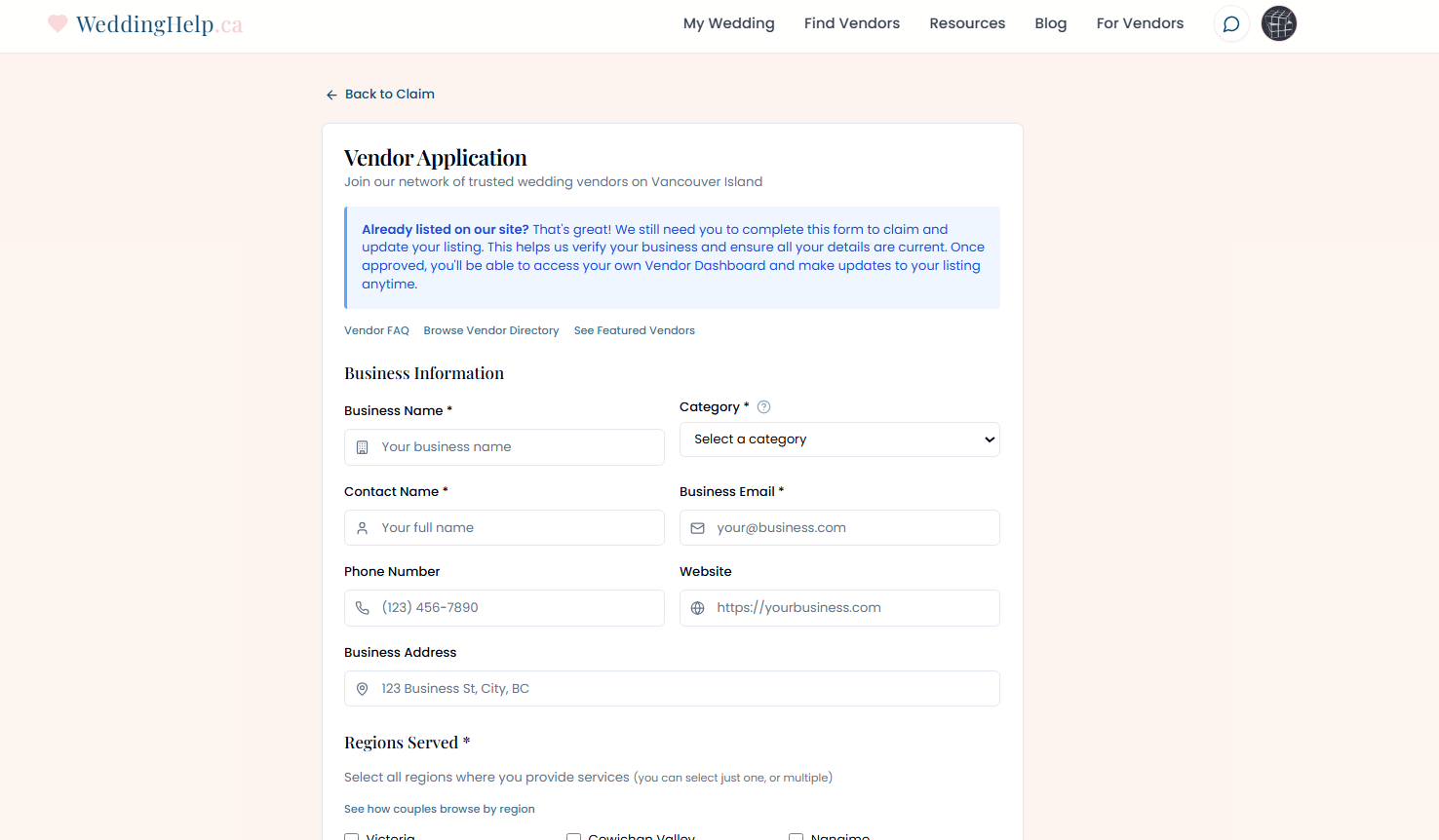
- Business name
- Location and category
- Contact details
- Photos and a short description of your services
After submitting, we'll review it and either:
- Match it to your existing listing, and attach it to your account, or
- Publish it as a new vendor profile with you as the owner.
Good to know: matching emails claim instantly
If the email on your WeddingHelp account matches the email on your existing listing, claiming happens automatically. Submit the form and your listing is linked to your account right away, no waiting on review.
You may also see a claim prompt when you sign in with a matching email. Confirm it and the listing is yours on the spot.
Common questions
"I see my page on WeddingHelp already. How do I edit it?"
See the steps listed above ^ -- once you've submitted the form, we will review it promptly, and send you an email once finished.
Once that's done, the profile is yours to manage.
"My business isn't listed. What should I do?"
Use the vendor signup form anyway.
If we don't find a matching listing, we'll create a new one for you.
"Do I have to pay to claim my listing?"
No. Claiming your profile and having a basic listing on WeddingHelp is free.
Optional upgrades like featured placement, or exclusive blog mentions are available, but never required.
"How long does it take?"
Most profiles are reviewed and approved the same day.
If we need clarification, we'll reach out by email.
Tips for a strong vendor profile
Once your profile is live, we recommend:
- Uploading clear, high-quality photos
- Writing a friendly, honest description of your services (150 characters or more)
- Double-checking your contact info
- Linking your website and social media
- Updating your profile if things change
The more complete your profile is, the easier it is for couples to connect with you.
Need help?
If you run into any issues claiming or adding your profile, you can reach us here:
👉 https://weddinghelp.ca/contact
We're always happy to help.