Before you start
Editing requires a claimed profile. If yours isn't claimed yet, see How to Claim or Add Your Vendor Profile first. It's free and usually takes just a few minutes.
What you can edit
- Business basics (name, contact info, regions served)
- Services and packages
- Photos and gallery order
- Social links and website
- FAQs, so couples get answers without having to ask
Featured vendors get a few extras on top: a profile color theme, a video gallery, and decorative touches down the sides of the page. Those controls appear once your listing is featured.
Two ways to edit
Option 1: From your vendor account dashboard
- Sign in to WeddingHelp.
- Click your profile Icon in the top-right -> Vendor Dashboard.
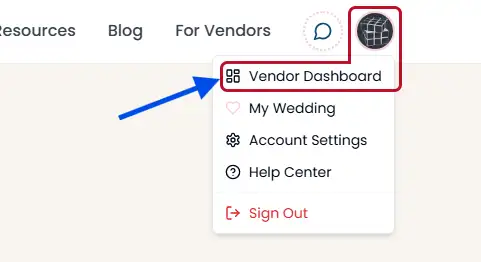
Open your Vendor Dashboard from the profile menu - Use the form to update your details, then scroll down to the bottom of the page and press "Save Changes".
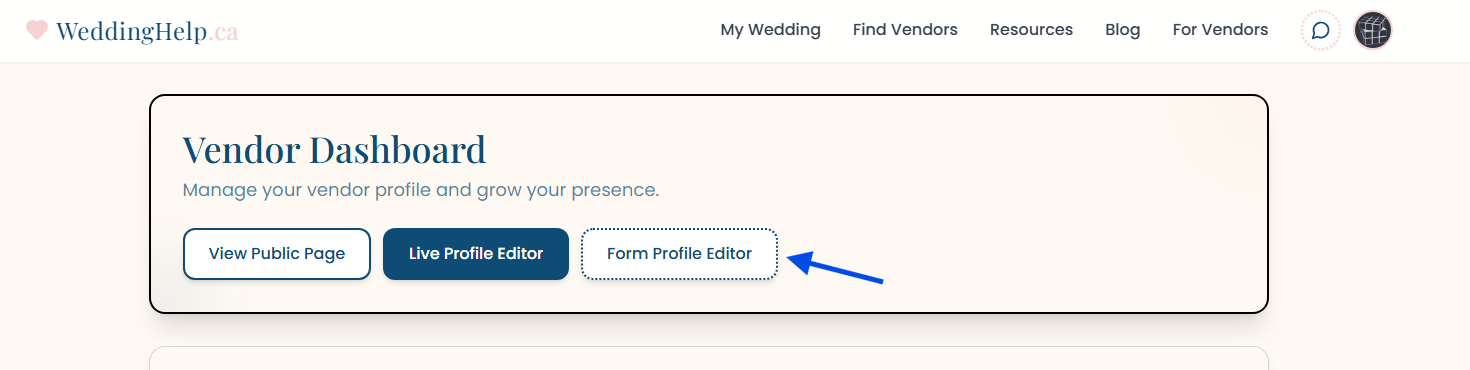
Use the vendor form to update details, services, and regions
Option 2: From your public vendor profile
- Sign in to WeddingHelp.
- Navigate to your live vendor profile page.
- As the owner, when viewing you will be in owner mode, revealing various edit buttons.
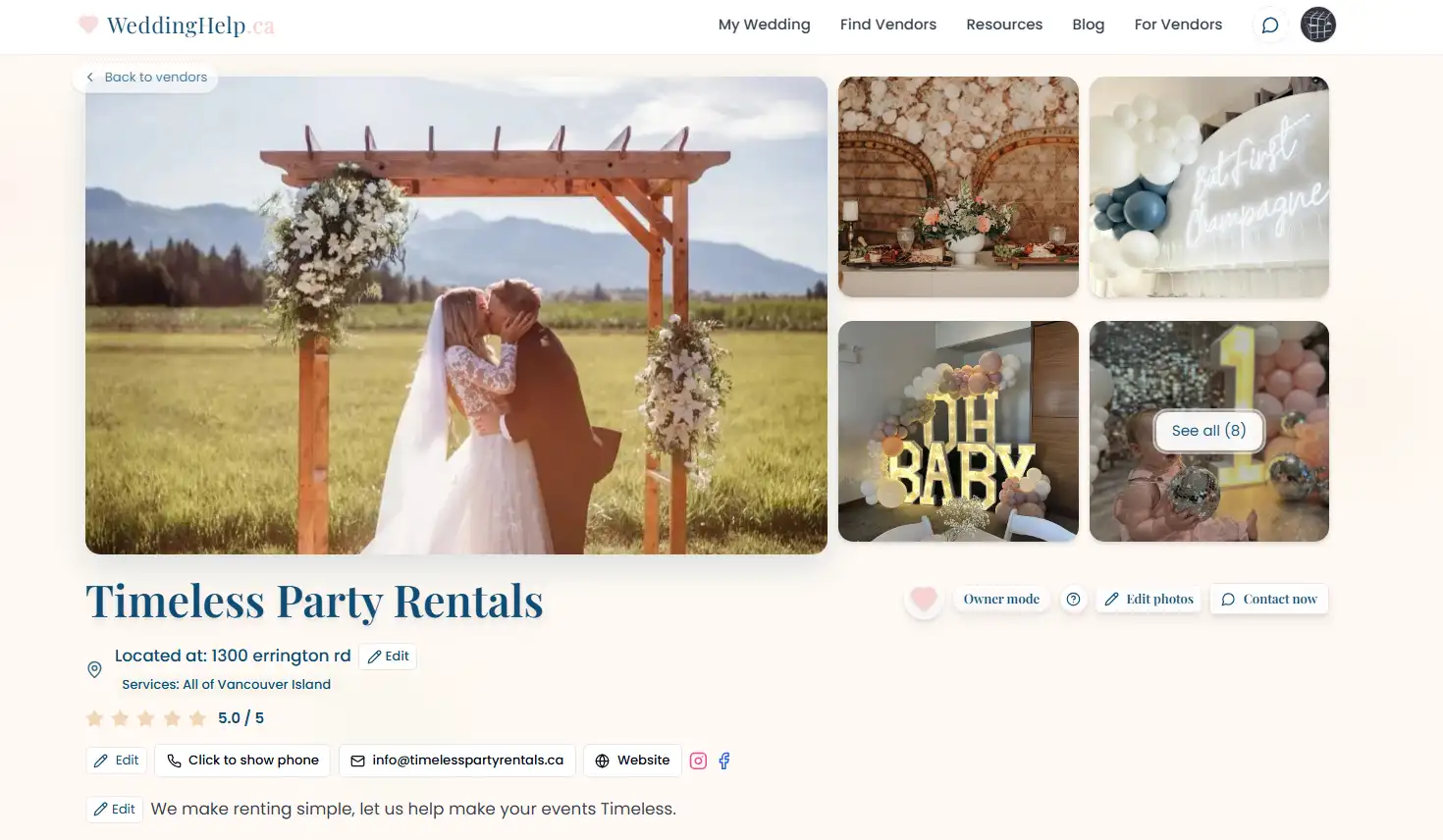
Owner mode exposes edit buttons directly on your live profile - Update details and it will automatically save changes.
Both options edit the same profile, so use whichever you prefer. The form is faster for filling in a lot at once; owner mode is better when you want to see each change land on the live page.
Tips for smoother updates
- Keep descriptions concise and helpful.
- Refresh photos seasonally.
- Verify contact methods and response times.
- Update regions and services when they change.