Great photos help couples visualize your work and make informed decisions. Here's how to keep your gallery looking its best.
Before you start
Make sure you're signed in to WeddingHelp with the account linked to your vendor profile. Haven't claimed your listing yet? You'll need to do that first: How to Claim or Add Your Vendor Profile. It's free and usually takes just a few minutes.
Rather not deal with uploads at all? Reply to any WeddingHelp email with your photos attached, or give us the go-ahead to pull a few from your website or socials, and we'll add them for you at no cost.
Step 1: Open your vendor profile
- Sign in to WeddingHelp.
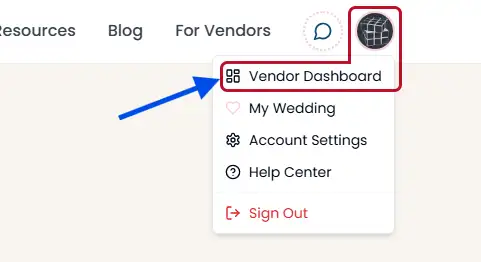
- Click your profile icon in the top-right → Vendor Dashboard.
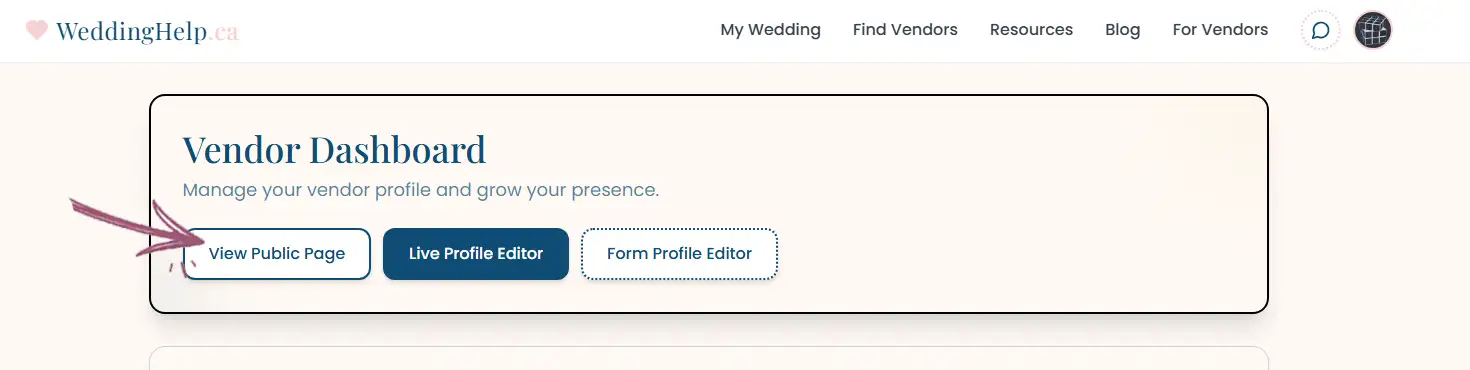
- From your dashboard, click "View Public Page" to open your public vendor profile, or just find it naturally through the Vendors page. You can also use the default 'Form Profile Editor' if you prefer that style.
Step 2: Open the photo editor
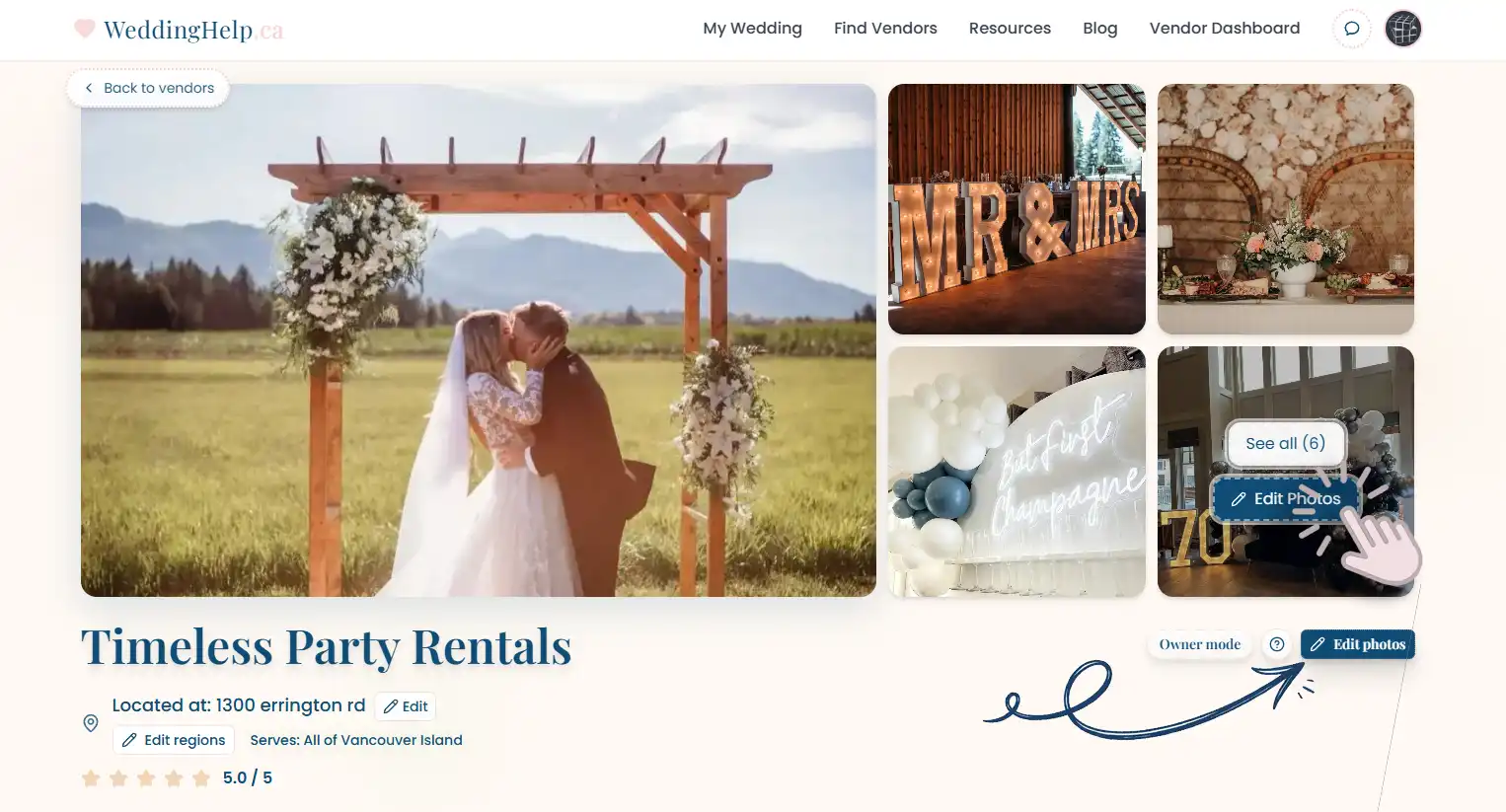
As the owner, you'll see Edit Photos buttons on your profile:
- One in the header area next to your business name
- One overlaid on your photo gallery
Click either button to open the photo management modal.
Step 3: Add, reorder, or remove photos
The photo editor lets you:
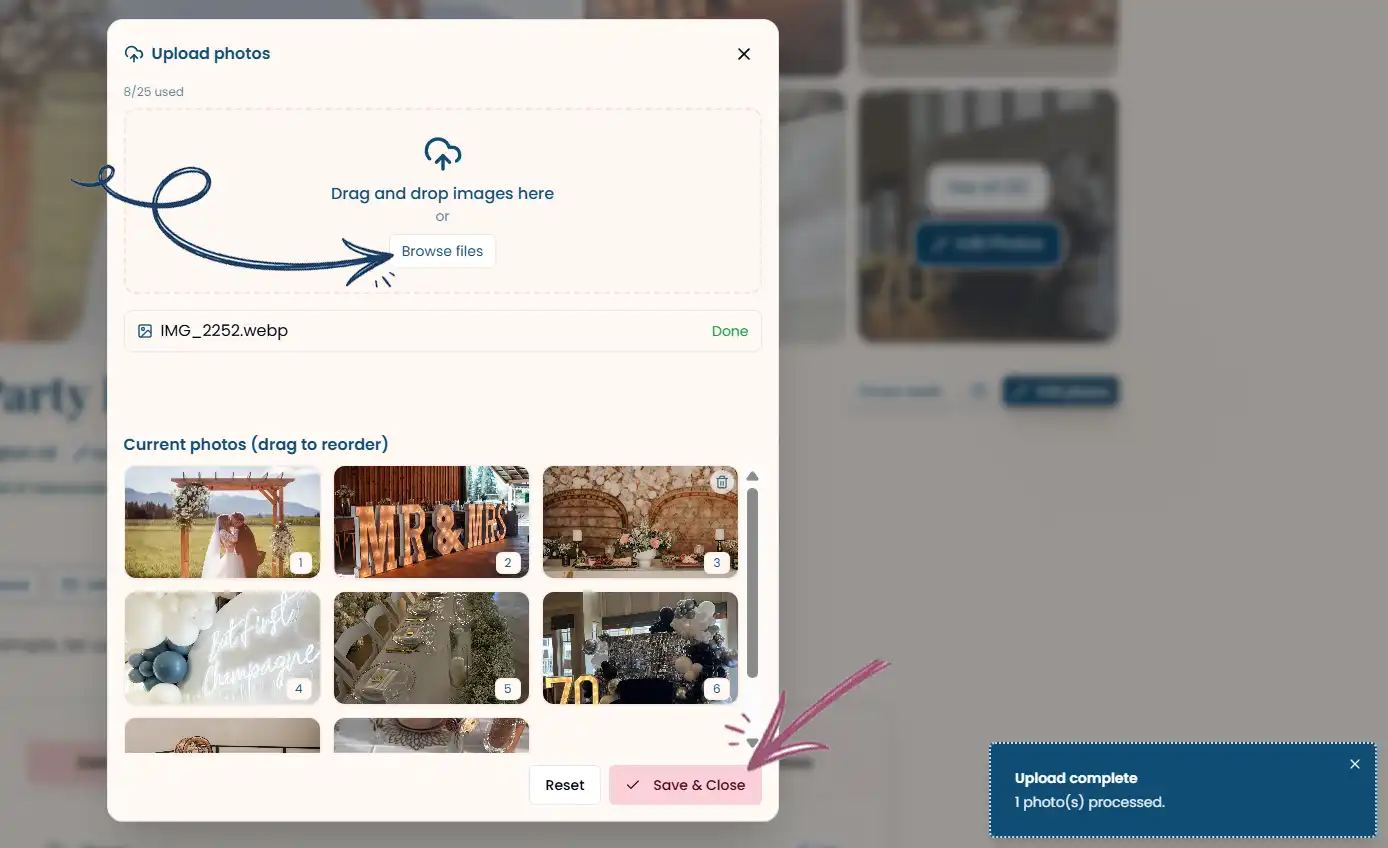
Upload new photos
- Drag and drop images into the upload area, or click to browse your files
- You can upload up to 25 photos total
- Supported formats: JPG, PNG, WebP, AVIF, GIF, and HEIC
- Straight from an iPhone? HEIC files are converted for you on upload, so there is nothing to do first
Reorder your gallery
- Drag photos to rearrange them
- The first photo becomes your featured image shown in search results
Remove photos
- Hover over any photo and click the trash icon
- Confirm the removal when prompted
Tips for better photos
| Tip | Why it matters |
|---|---|
| Use high-resolution images | Crisp photos look professional and zoom well |
| Show variety | Mix wide shots, details, and different event styles |
| Lead with your best | Your first photo is your cover — make it count |
| Keep it current | Update seasonally to reflect your latest work |
| Natural lighting | Photos with good lighting attract more engagement |
Photo guidelines
- Minimum size: at least 800×600 pixels.
- Maximum file size: 15 MB per image
- Aspect ratio: Landscape (16:9 or 4:3) works best for the gallery grid
- Content: Only upload photos you have rights to use
Need help?
If you have trouble uploading photos or need assistance updating your profile, reply to any WeddingHelp email or contact us — we're happy to upload photos for you at no cost.