Favorites are your shortlist in WeddingHelp. When you favorite a vendor once, you can quickly find them again later and select them inside parts of your planning tools (like your checklist).
What favorites do
- Favorites save vendors into your personal shortlist.
- Your checklist vendor dropdowns only show vendors you have favorited.
- Favoriting is a low commitment way to keep options organized while you compare.
How to favorite a vendor
- Go to Find Vendors.
- Browse vendors (or search by category and location).
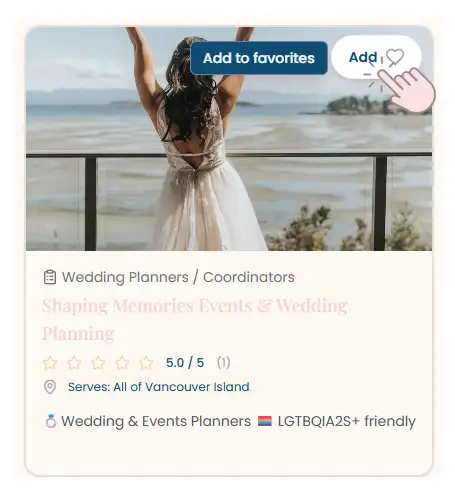
- Click the Add ♥ button on a vendor card.
You can also favorite vendors directly from their vendor page.
Image: Favoriting from the vendors list
Use favorites inside your checklist
Once you have at least one vendor favorited:
- Go to My Wedding.
- Open your Checklist.
- Use the vendor dropdowns to select from your favorites.
Tip:
- If a vendor is not showing in your checklist dropdown, it usually means they are not favorited yet.
Best practices for using favorites (so it stays clean)
- Favorite any vendor that looks like a strong fit, then narrow down later.
- If you are done comparing someone, remove them from favorites to keep your shortlist focused.
- Use favorites as your "maybe" list before you start messaging.
FAQ
How early should I book vendors?
Vancouver Island vendors book up fast, especially for peak season weekends. For popular categories, starting your search about 10 to 12 months out gives you the most flexibility.
Tip:
- Even if you are not ready to book yet, a short intro message can help you gauge availability early.
Why do some vendor dropdowns look empty?
Most dropdowns inside the checklist are intentionally scoped to favorites. That way you are not scrolling through hundreds of vendors.
Need help?
If something does not look right, refresh the page and confirm the vendor is favorited. If you still need help, contact us here: