Why completeness matters
Couples increasingly start planning by asking AI assistants like ChatGPT and Perplexity for vendor recommendations. Those tools read the structured details on your WeddingHelp page: your description, packages, pricing, photos, FAQs, and reviews. The more complete your profile, the more there is for search engines and AI to recommend. Complete profiles also rank better inside WeddingHelp search and the Find My Vendors matchmaker.
Step 1: Finish your profile checklist
Your Vendor Dashboard shows a completion checklist. Aim for 100 percent; every item on it feeds the structured data that search engines and AI assistants read.
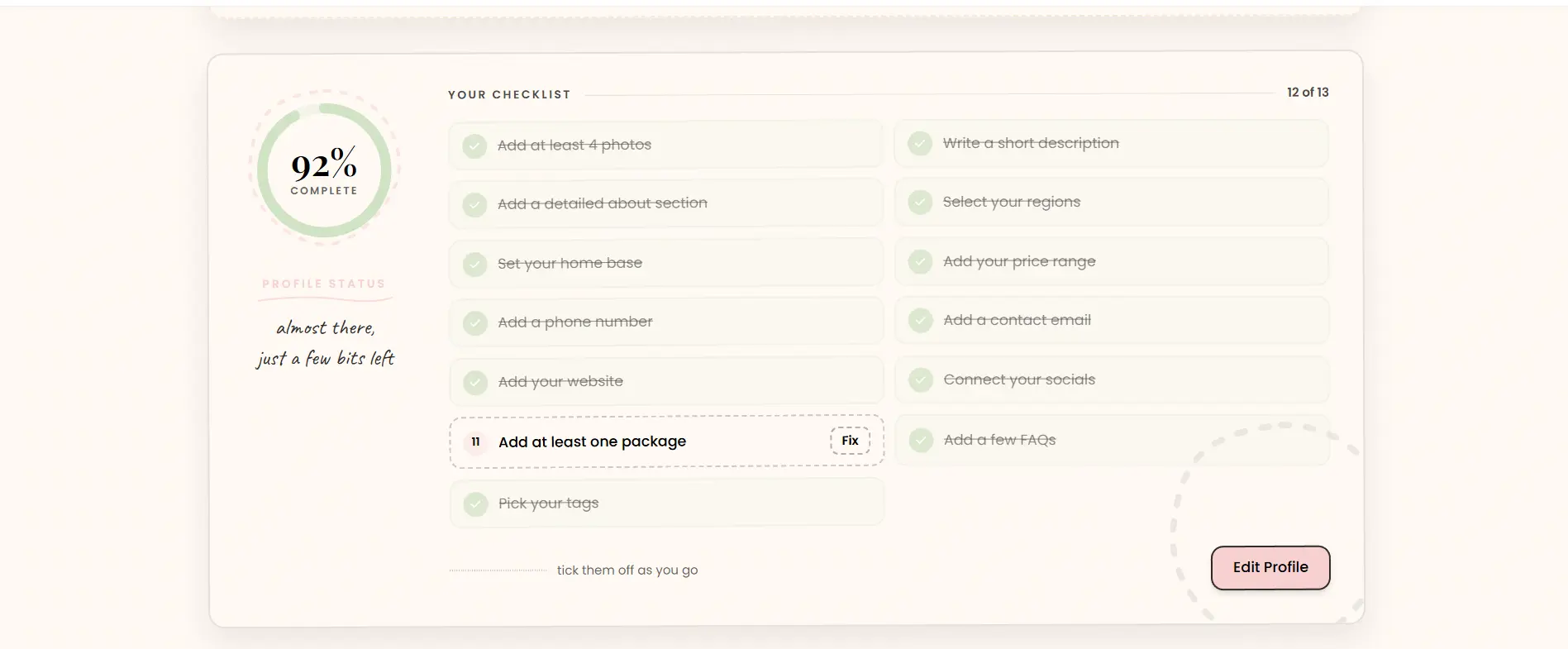
Each unfinished item has a Fix button that takes you straight to the right spot.
Step 2: Hit the details that matter most
- Photos: at least 4, ideally 8 or more. Real weddings beat stock every time. See How to Manage Your Vendor Photos.
- Packages with clear pricing. Pricing is one of the first things couples ask AI for. Vague or missing pricing means you get skipped.
- A specific, detailed description. Say what you do, where, and what makes you different, in your own words.
- A few FAQs. Short questions and answers are exactly the format assistants quote.
- Website and socials linked. These confirm you are an active, real business.
- Fresh reviews from real couples. Ask recent clients; recency counts.
Step 3: Edit right on your live page
The fastest way to polish everything is owner mode. Open your live vendor page while signed in and edit buttons appear on each section.
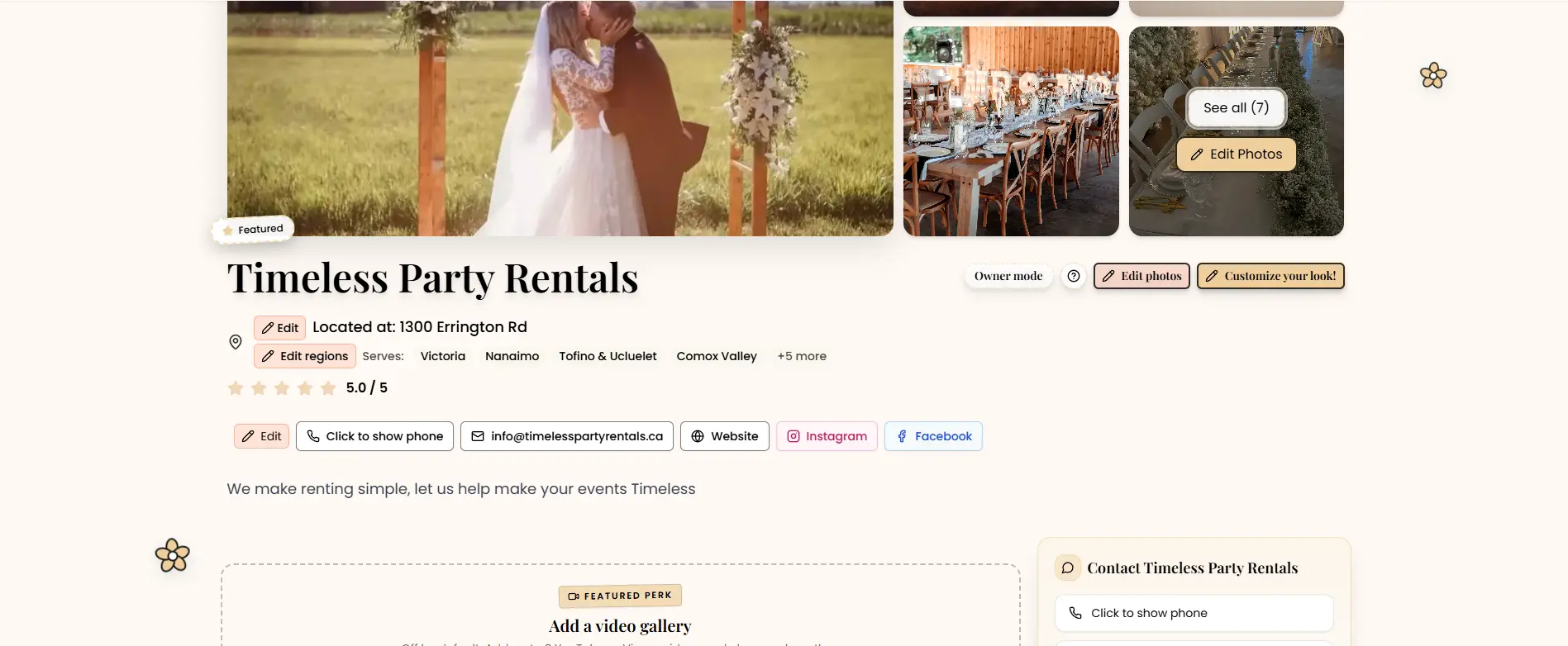
Changes save automatically. Prefer a form? See How to Edit Your Vendor Profile.
Step 4: Get Featured for maximum reach
Featured vendors get the strongest visibility we offer:
- Top placement in search results and matchmaker results
- Recommendations across our planning guides and blog
- Enhanced structured data plus a dedicated blog feature, both of which help AI assistants find and recommend you
- Full analytics, including AI assistant visits, so you can watch it work
Keep it fresh
Search engines and AI favor pages that change. Refresh photos seasonally, keep pricing current, and add new reviews as they come in. Not sure what to improve first? Contact us and we will review your page with you.